Live wallpapers on a Mac
macOS will play Apple's own aerial videos behind your desktop, but it will not animate a wallpaper of yours. For that you need an app that draws one. This is how that works, and what it costs.
How a live wallpaper gets behind your icons
Every window on a Mac sits at a level. Finder draws your icons at one level, and the desktop picture sits at a level beneath it. A live wallpaper app opens a borderless window the size of your screen in between: above the picture, below the icons. Clicks pass straight through it, so your desktop behaves exactly as before. It just moves.
That is what Pixel Soup does on every display you have plugged in. When you quit, the frame on screen is left behind as an ordinary desktop picture, so the desktop does not snap back to something else.
What it costs
The honest answer is: it depends what is being drawn. A video wallpaper has to be decoded frame after frame, for ever. A generated one only has to be computed, and how much that costs is up to whoever wrote it.
Pixel Soup's wallpapers are a small program that runs on the GPU. On an Apple silicon MacBook Pro a frame takes the GPU a couple of milliseconds, even at 6K, and the app sits at a few percent of one CPU core while it runs. It also backs off when it can:
- It draws at 30 frames a second at most. A wallpaper drifts; it does not need 120.
- When windows cover the whole desktop, it stops drawing until you can see it again.
- In Low Power Mode it drops to 15 frames a second.
- If Reduce Motion is on, transitions are skipped.
And if you want the look without any of the motion, set it as a still. A still wallpaper is a normal desktop picture and costs nothing once it is set.
What you can put there
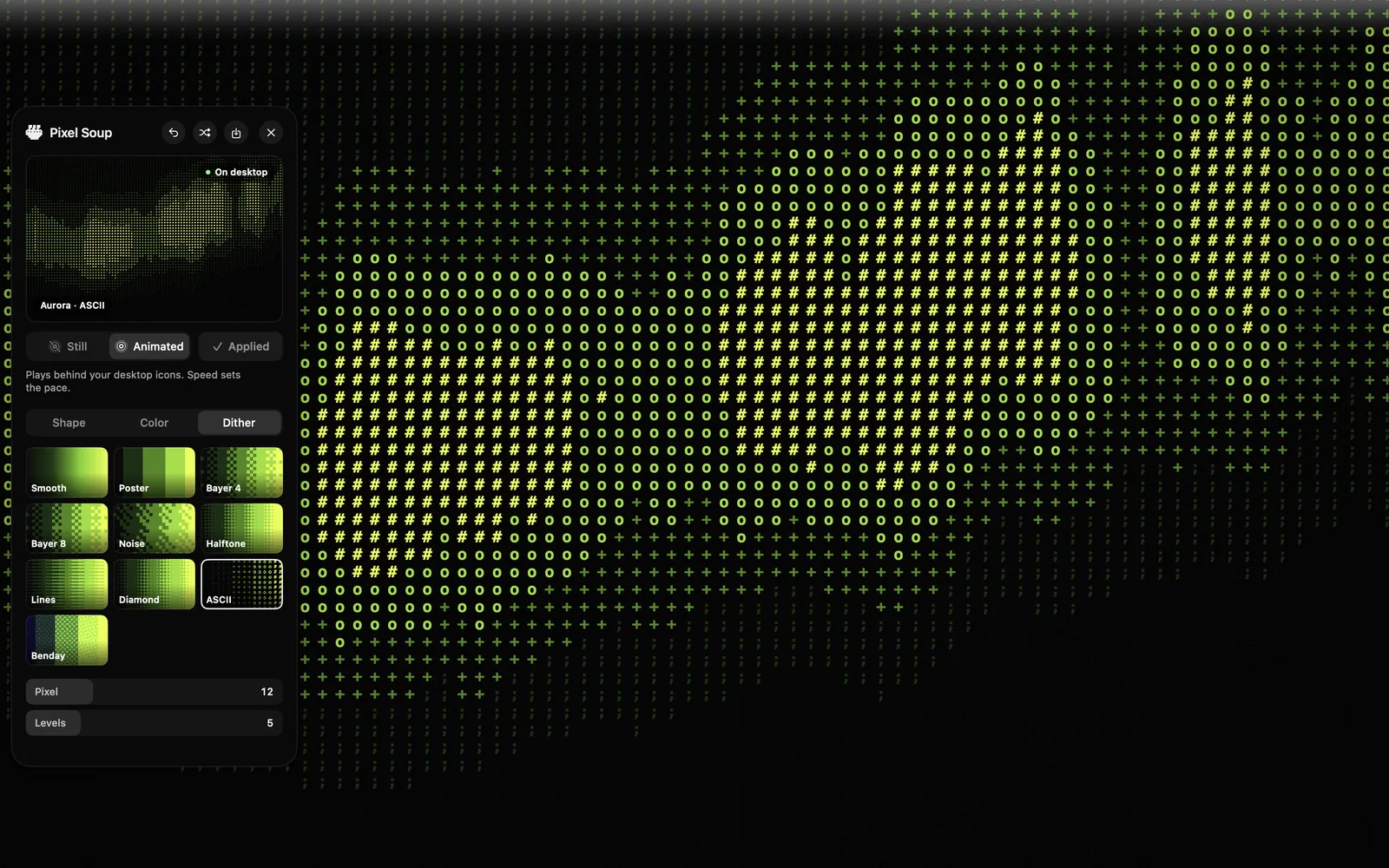
Pixel Soup does not play videos. It makes wallpapers: eleven shapes such as Flow, Whorl and Aurora, coloured from a palette and then dithered ten different ways, from smooth gradients to halftone dots and ASCII characters. You can also feed it a photo. Because it is generated, there is no file to download and no two are the same.
Get Pixel Soup $4.99 launch week, then $9.99. Once, no subscription.