ASCII wallpapers for Mac
An ASCII wallpaper is a picture drawn with characters. Bright areas get heavy ones like # and m, dark areas get a full stop or nothing at all. Stand back and the letters turn into an image.
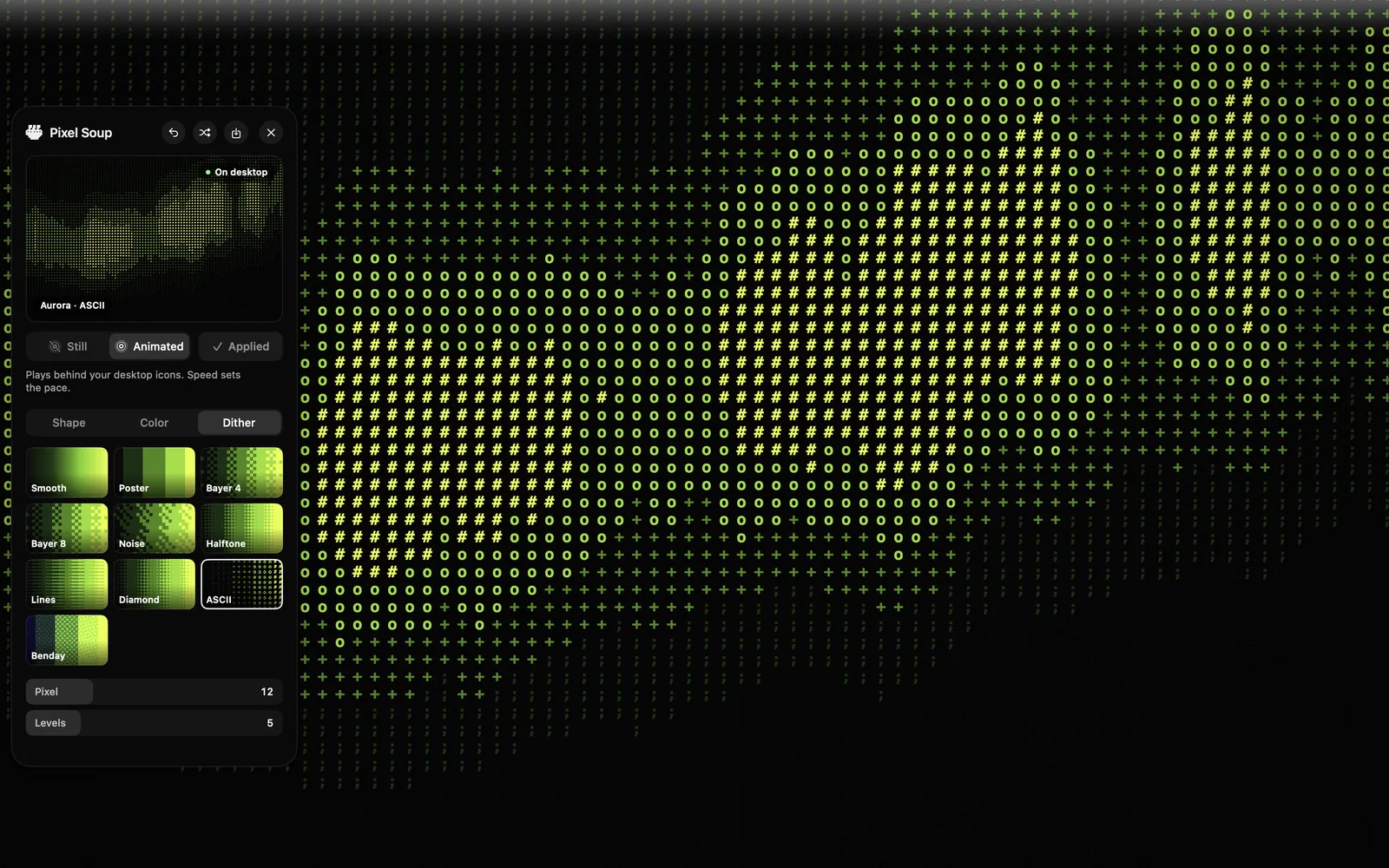
How Pixel Soup draws it
The wallpaper is divided into cells. For each cell the app works out how bright the picture is there and picks one of sixteen characters, from a space through . , : ; - ~ = + * and up to # at the bright end. They are drawn in Menlo, the Mac's own monospaced typeface, so they look like they came out of a terminal.
Because it is done live on the GPU, it does not have to hold still. Set it to Animated and the characters change as the shape underneath drifts: the picture moves, the grid does not.
Making one
- Open the editor and pick a shape. Aurora, Flow and Sonar suit ASCII well, because they have large areas of light and dark.
- On the Color tab, pick a palette. Acid gives you green on black. Mono gives you white on black. Or build your own.
- On the Dither tab, choose ASCII.
- Use Pixel to set the size of the characters. Around 10 to 14 reads as text; smaller turns into texture.
- Press Apply, as a still or animated.
It works on a photo too: choose the Image shape and pick a picture. Faces are a stretch at this resolution. Landscapes and anything with strong shapes come out well.
ASCII is one of ten dither styles in Pixel Soup. The others are worth a look if you like this one, especially Halftone and Benday.
Get Pixel Soup $4.99 launch week, then $9.99. Once, no subscription.