Dithering, explained with wallpapers

Dithering is how you fake colours you do not have. With only a few colours to work with, you scatter them in a pattern, and from a distance the eye mixes them into the tones in between.

It was invented out of necessity. Newspapers had one ink, early screens had two colours, and the first colour computers had sixteen. Dithering was the trick that let them show a photograph anyway. Nobody needs it any more, which is exactly why it now reads as a style: the texture of old print and old pixels.

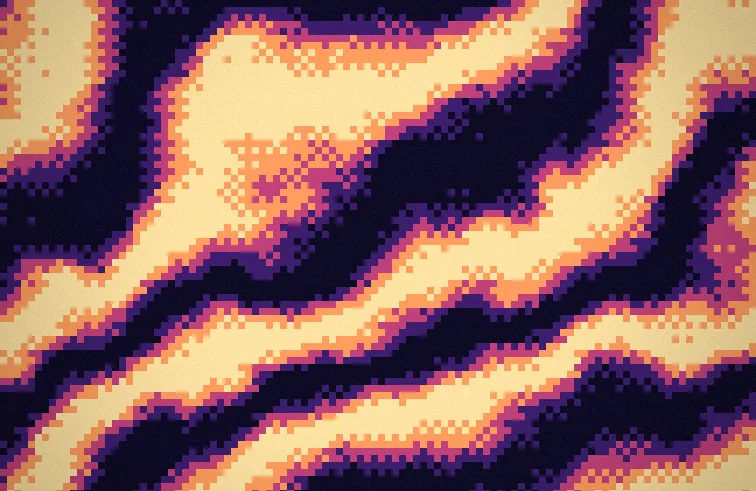
Below is one wallpaper from Pixel Soup, the same shape and the same five colours, dithered ten ways.
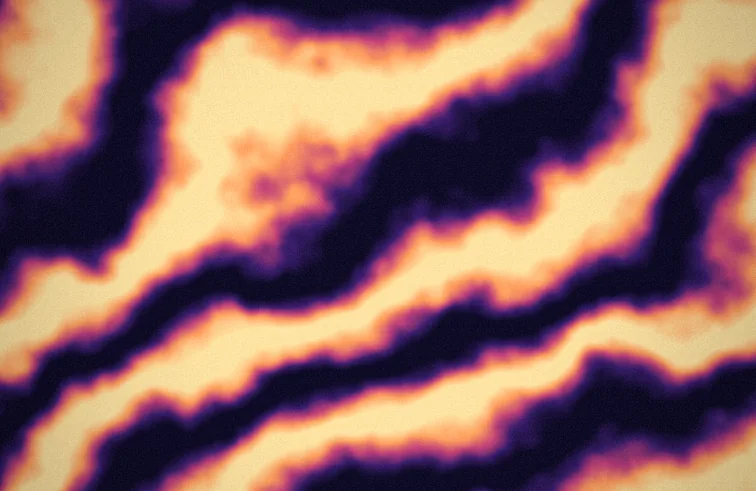
The same wallpaper with Smooth dithering
Smooth. No dithering at all: the full gradient, every colour in between. The control group.
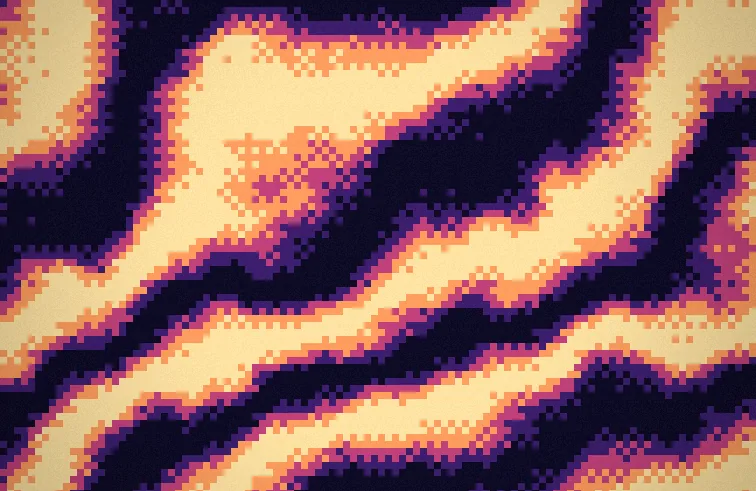
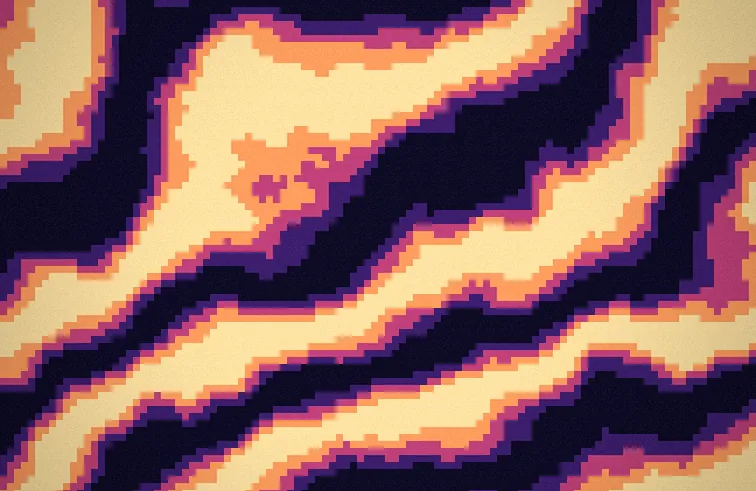
The same wallpaper with Poster dithering
Poster. The gradient cut into a few flat bands, like a screen-printed poster. You choose how many.
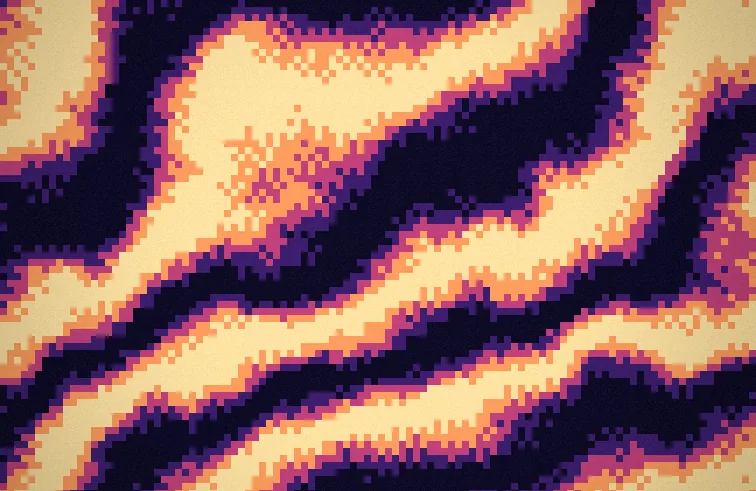
The same wallpaper with Bayer 4 dithering
Bayer 4. Ordered dithering with a 4 by 4 grid of thresholds, the method Bryce Bayer published in 1973. It gives the tidy crosshatch of early computer graphics.
The same wallpaper with Bayer 8 dithering
Bayer 8. The same idea with an 8 by 8 grid. More in-between tones, a finer weave.
The same wallpaper with Noise dithering
Noise. Each cell gets a scattered threshold instead of an orderly one. It reads as grain rather than pattern.
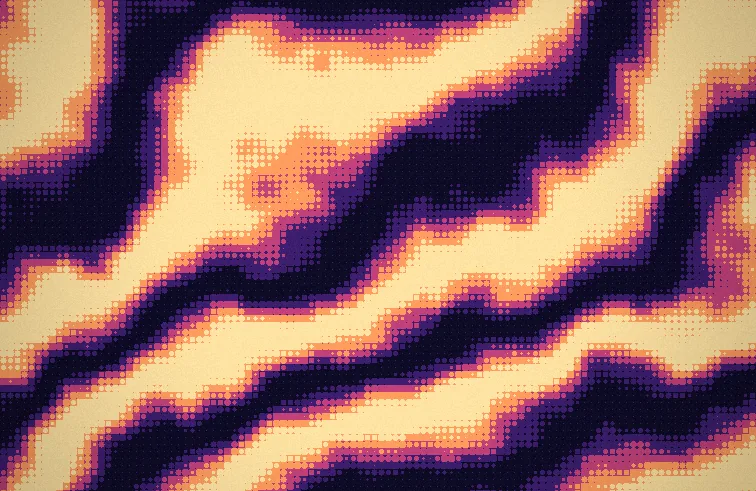
The same wallpaper with Halftone dithering
Halftone. Round dots that grow as the tone gets darker. This is how newspapers have printed photographs since the 1880s.
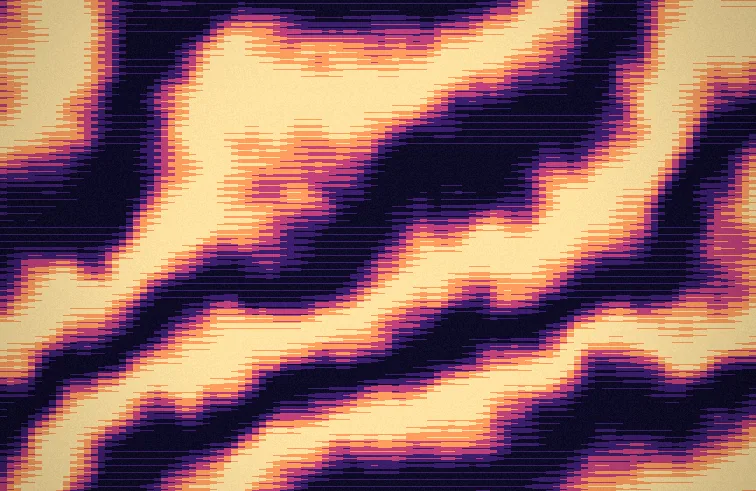
The same wallpaper with Lines dithering
Lines. Horizontal lines that thicken with the tone, like an engraving or an old television.
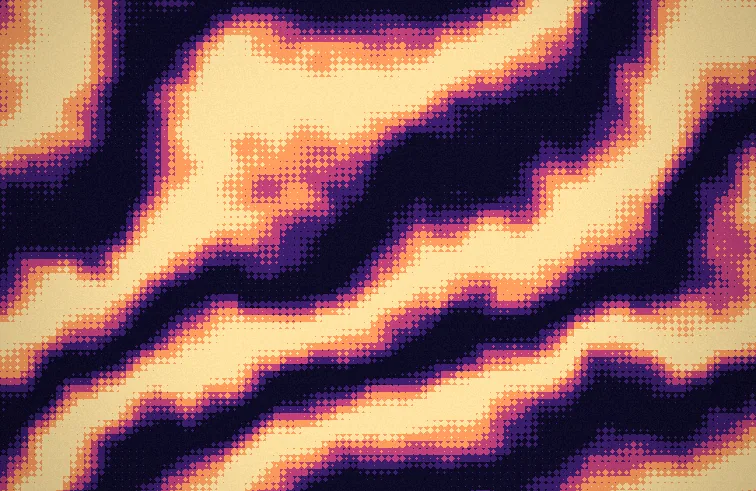
The same wallpaper with Diamond dithering
Diamond. Halftone with diamond-shaped dots, which lock together into a chequerboard at the midtones.
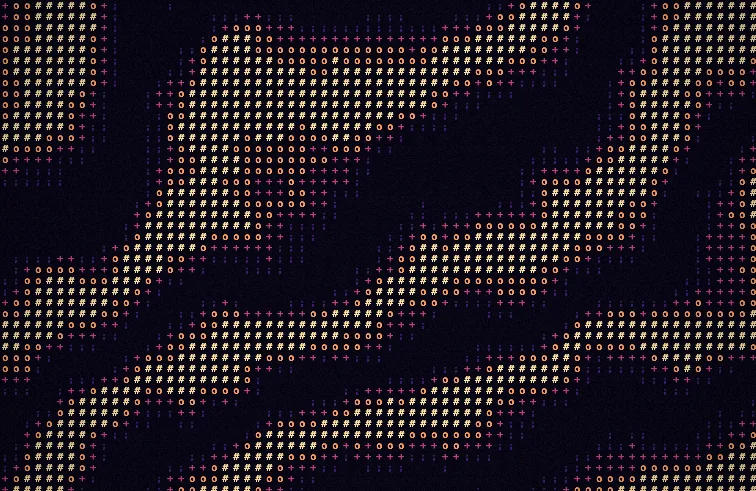
The same wallpaper with ASCII dithering
ASCII. Each cell becomes a character, picked by how bright it is: a full stop for almost nothing, a hash for a lot.
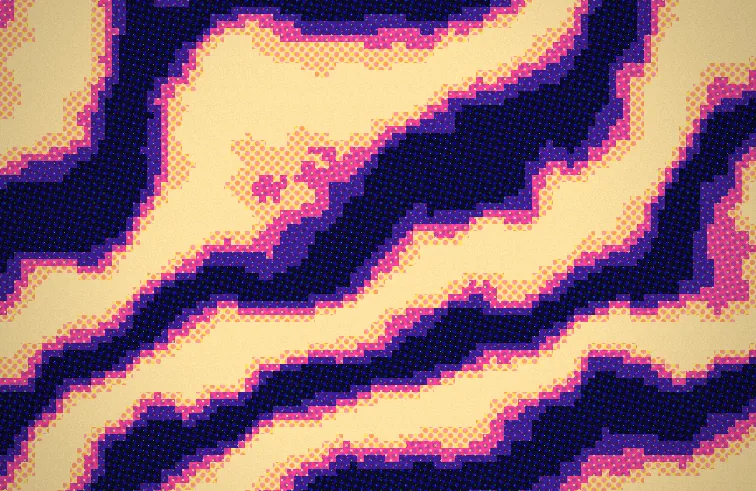
The same wallpaper with Benday dithering
Benday. Coloured dot screens laid at different angles, after the Ben Day dots of printed comics, the ones Roy Lichtenstein painted by hand.

The two dials that matter

Pixel size sets how big each cell of the pattern is. Small and it melts into a soft texture; large and you can count the dots from across the room.

Levels sets how many colours the dither is allowed to use. Two gives you the starkest version. More levels give smoother steps, and at some point the dithering has nothing left to do.

In Pixel Soup both are sliders, and every style works on every shape and on your own photos, still or moving.

Get Pixel Soup $4.99 launch week, then $9.99. Once, no subscription.